Systematic Reviews, actually "Systematic"

Screen references, extract from PDFs, run R-powered analyses, and publish to twelve formats — start to finish in one platform.

Get Started
Coventra — screening workspace
Coventra — workspace overview
5-stepreview workflow
Risk of biasassessment support
PRISMA 2020checklist export
12export formats

What's included

Six tools you'd otherwise piece together.

Coventra covers what most review teams handle with spreadsheets, reference managers, and separate statistical software.

Screening
ScreeningClick to explore →

Screening

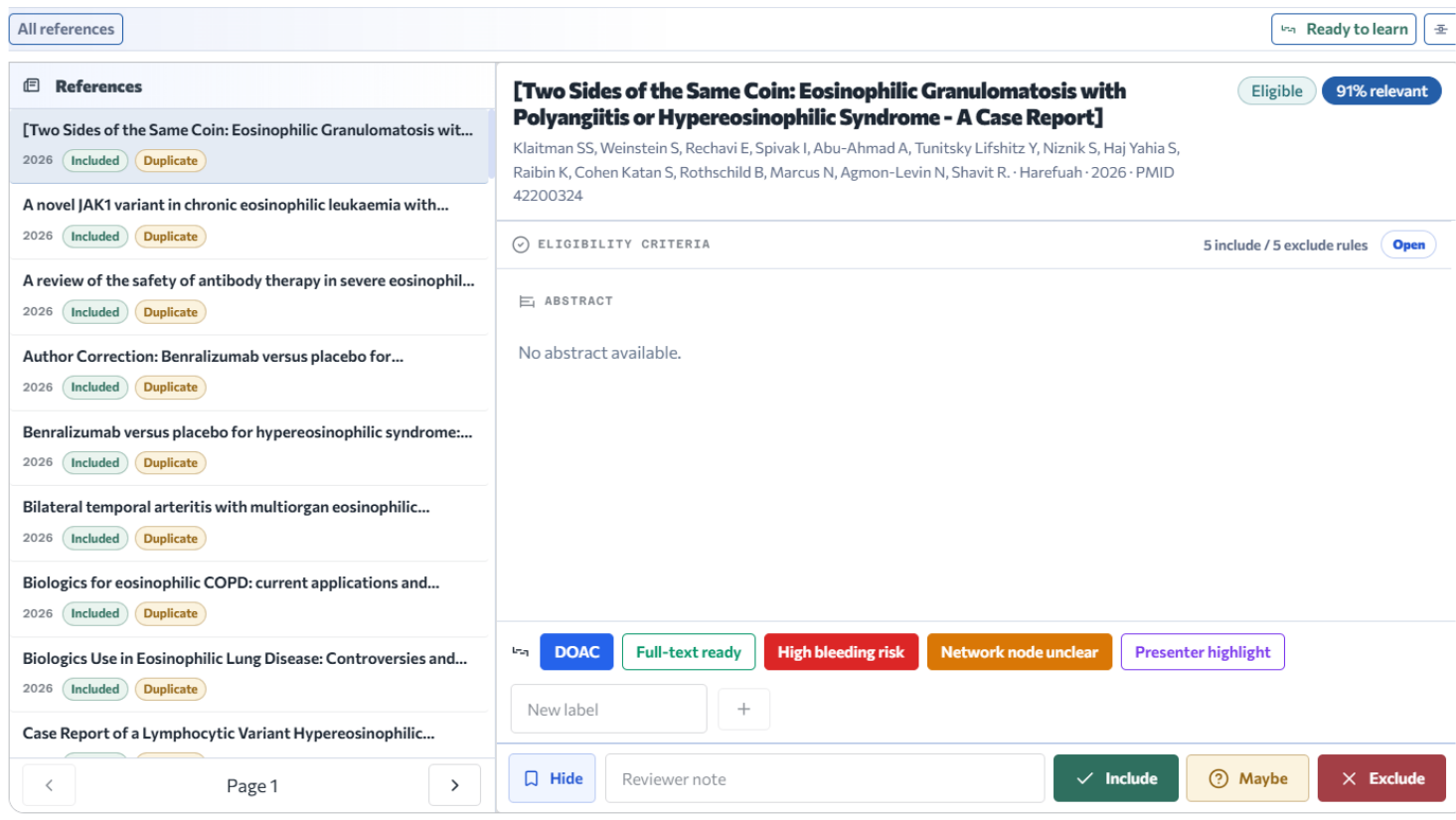
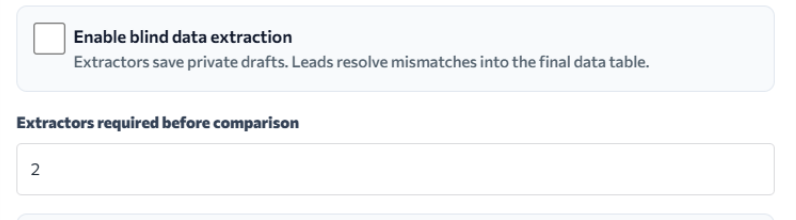
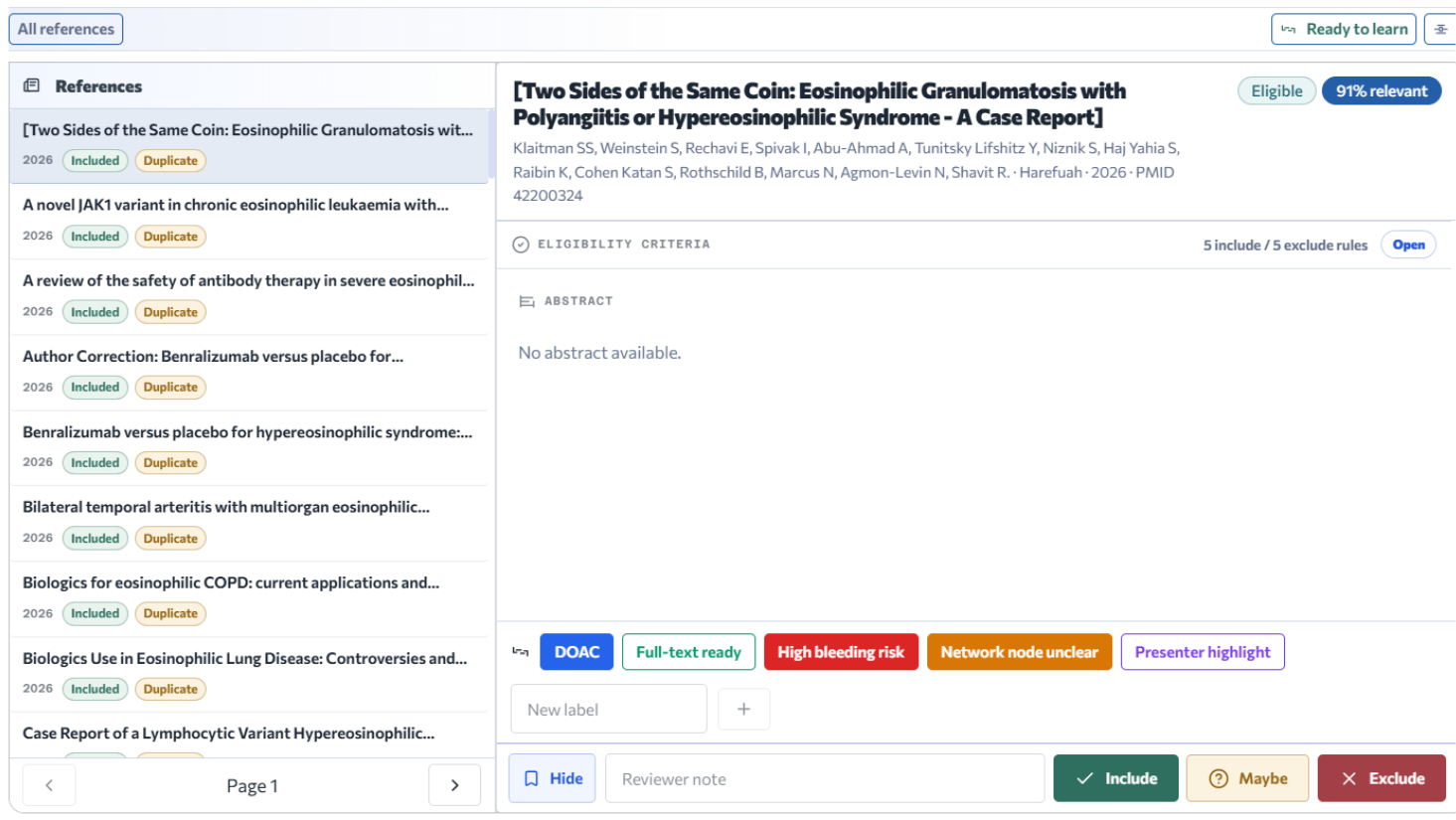
Two-phase review — title/abstract then full-text. ML ranks records by inclusion probability. Blind mode hides co-reviewer decisions until conflicts resolve.

↩ Click to go back
Extraction
ExtractionClick to explore →

Extraction

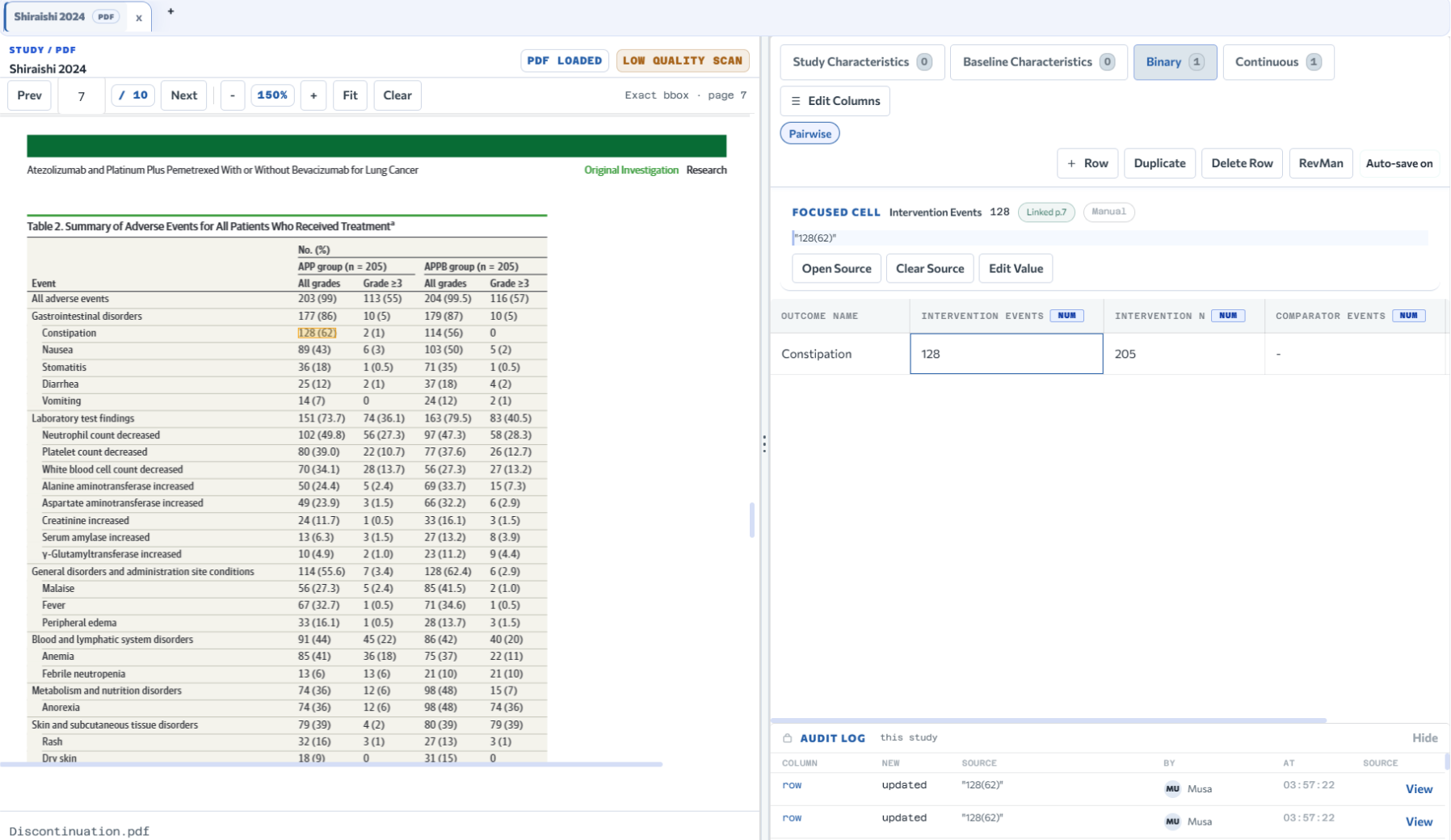
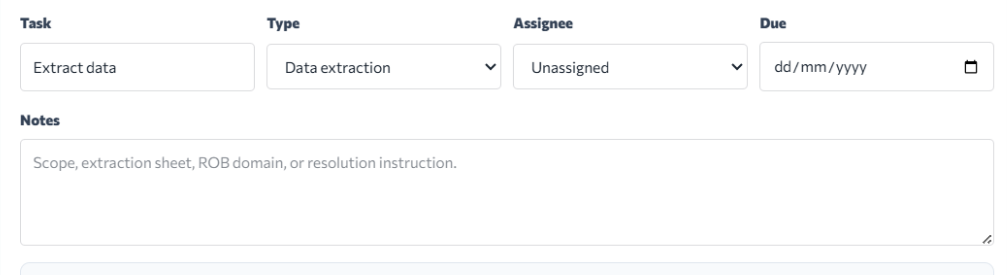
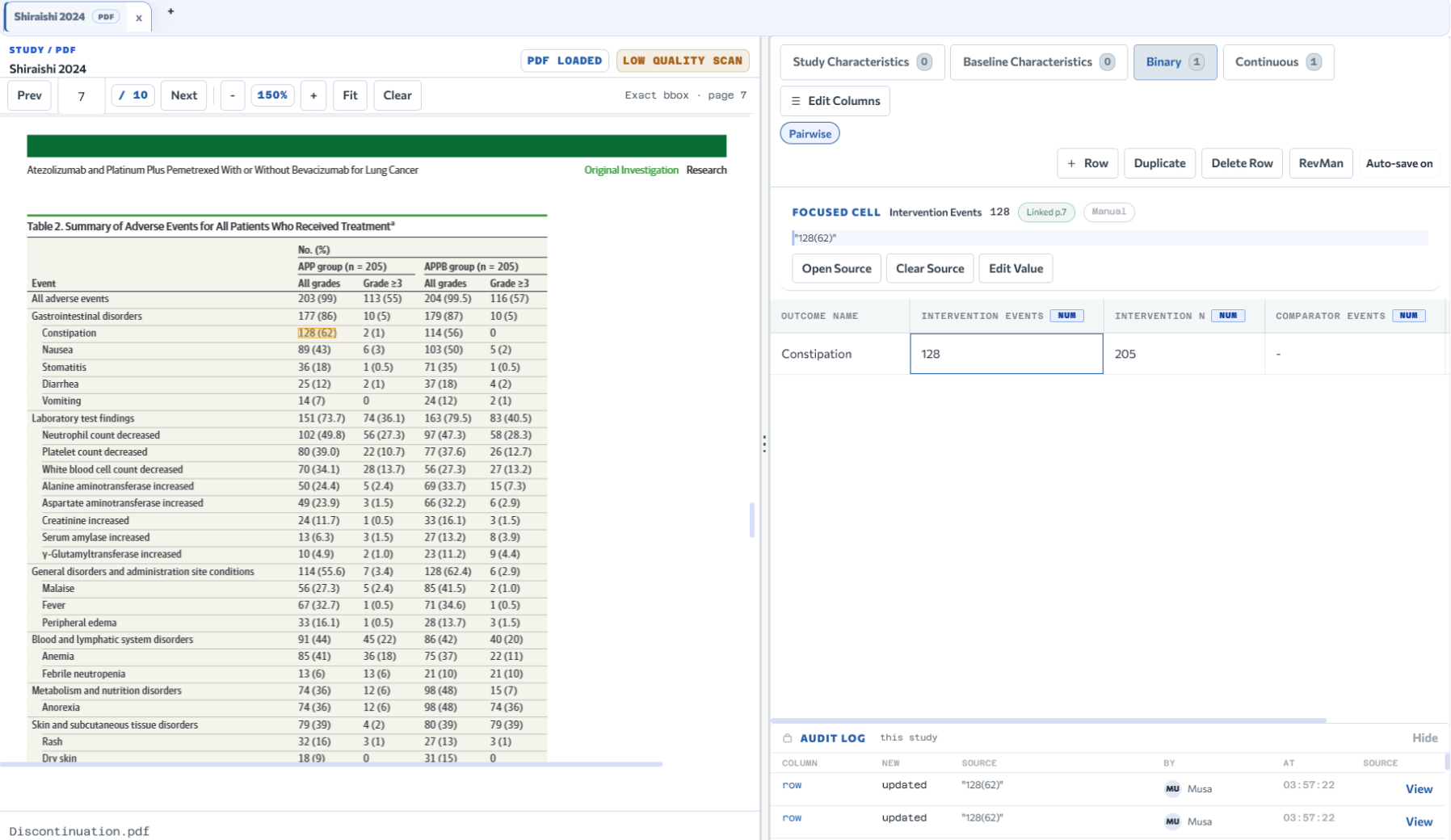
PDF viewer stays open while you fill the grid. Highlight text, send it to a column. Each cell records the page, bounding box, and source span SHA.

↩ Click to go back
Statistical Analysis
Statistical AnalysisClick to explore →

Statistical Analysis

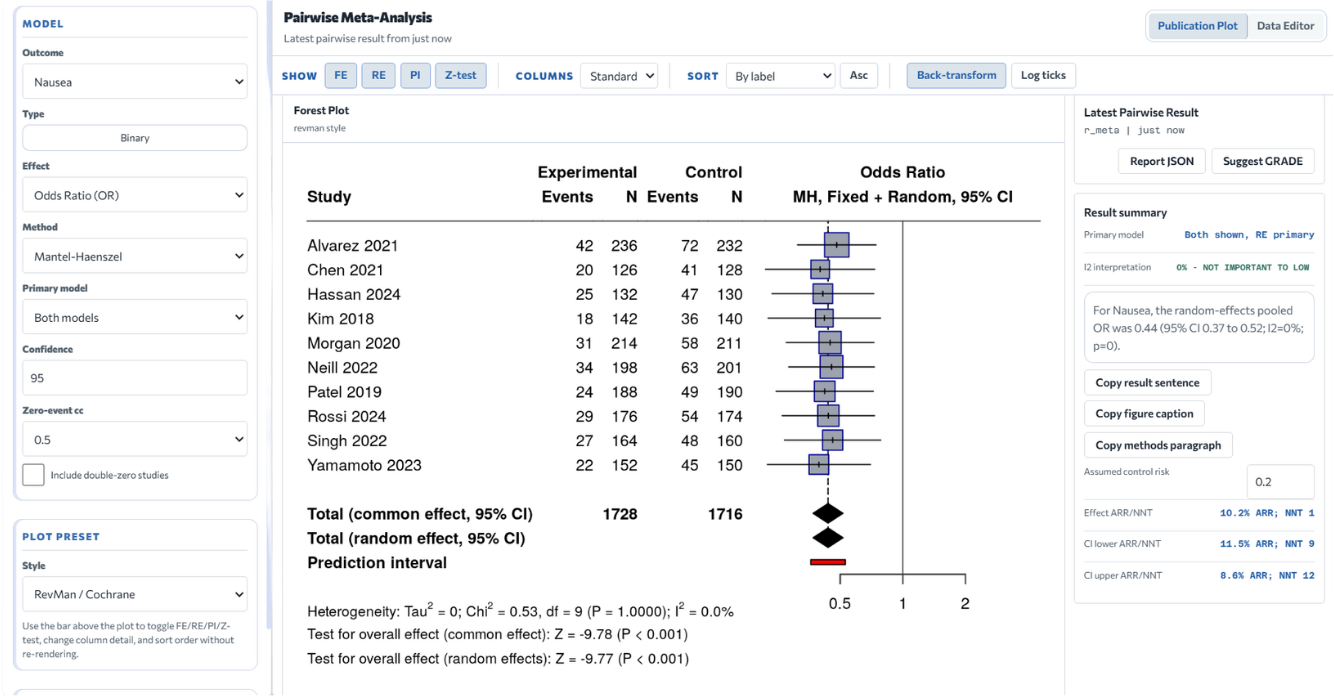
R-powered statistics on the backend — pairwise, DTA, network, and Bayesian. Results are plots and tables you export immediately.

↩ Click to go back
Risk of Bias
Risk of BiasClick to explore →

Risk of Bias

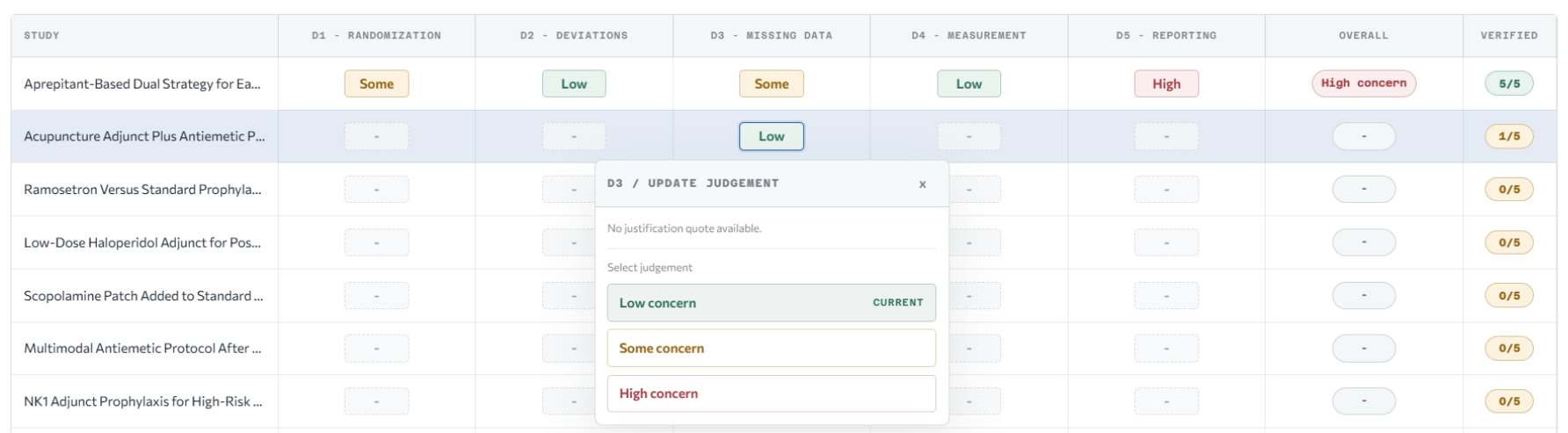
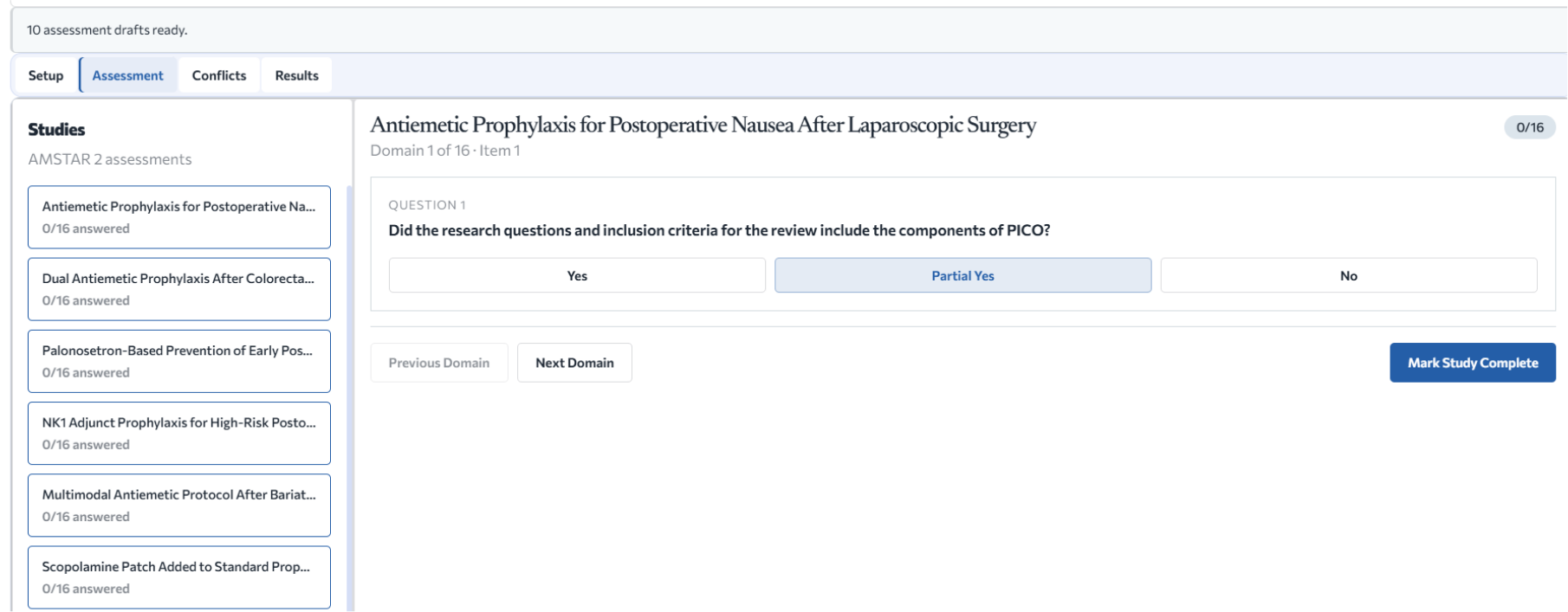
Structured risk-of-bias assessment with robvis output. Generic templates for other tools. Validation checks at the row, study, and project level before export.

↩ Click to go back
Collaboration
CollaborationClick to explore →

Collaboration

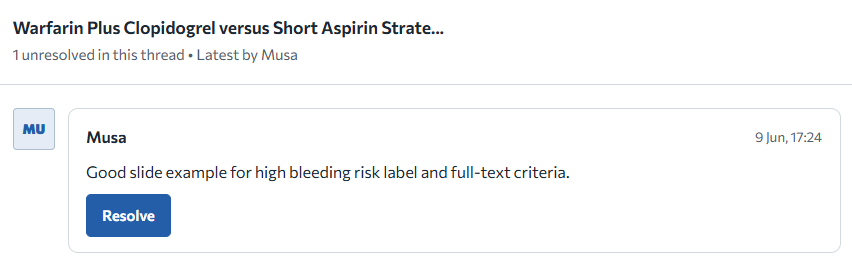
Invite co-reviewers as full members or screening-only. Comments thread on individual rows and cells. Activity feed tracks changes across the project.

↩ Click to go back
Export
ExportClick to explore →

Export

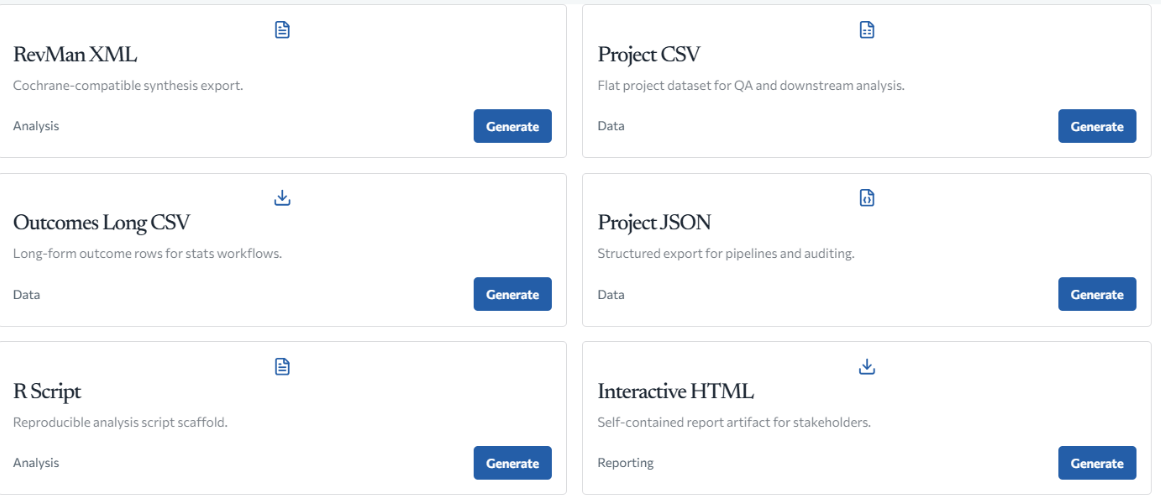
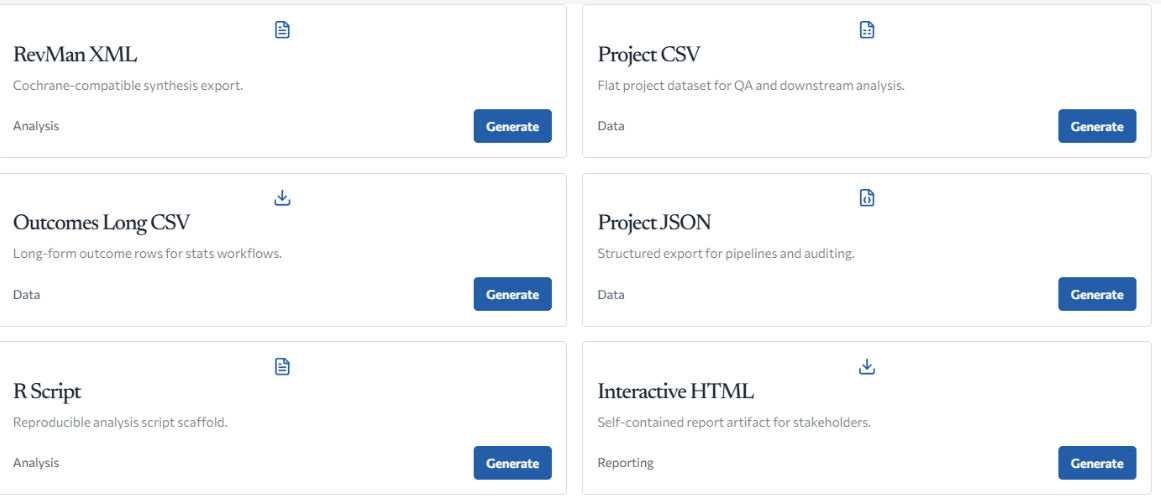
Twelve formats from one dataset: RevMan, XLSX, R script, PRISMA checklist, GRADE SoF DOCX, BibTeX, RIS, interactive HTML, reproducibility package.

↩ Click to go back
Screening

Two-phase screening with ML ranking.

Title/abstract and full-text screening run separately with configurable reviewer requirements. Machine learning scores each record by inclusion probability, auto-advances high-confidence decisions, and flags conflicts for the resolution queue.

  • ML scoring with per-project retraining on reviewer decisions
  • Blind mode — co-reviewer decisions hidden until a conflict is triggered
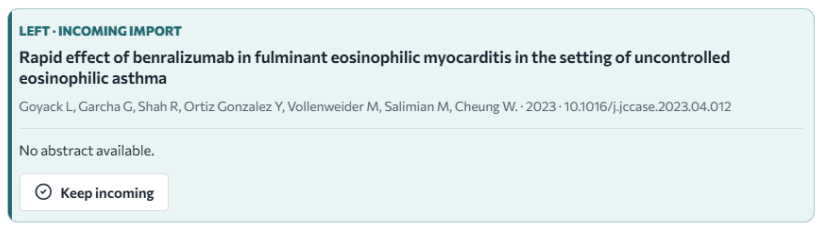
  • Duplicate detection, exact resolution, keep-both, and bulk dismissal
  • PubMed, Crossref, OpenAlex, Europe PMC search and batch import
Get started ->
Screening workspace — card queue view
Extraction

PDFs open next to the grid. Provenance tracks automatically.

Highlight text in the viewer, send it to any column. The cell records the source page, bounding box, and span SHA so every extracted value traces back to the document. Version history and one-click restore cover changes.

  • PDF viewer with bounding-box, span ID, and hash-level provenance
  • Predictive grid with field, outcome, and baseline suggestions
  • Direct text-selection routing from viewer to column
  • Bulk upsert, version history, and restore for any row
Get started ->
Extraction workspace — PDF viewer and data grid
Analysis

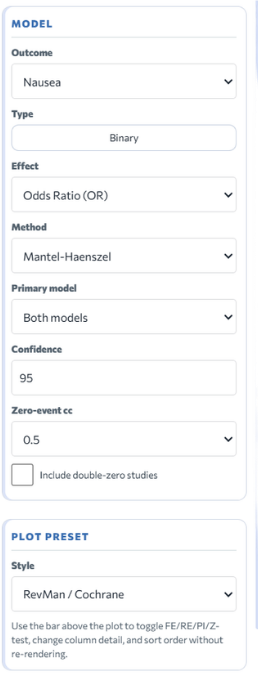
Statistical analysis runs in R on the server.

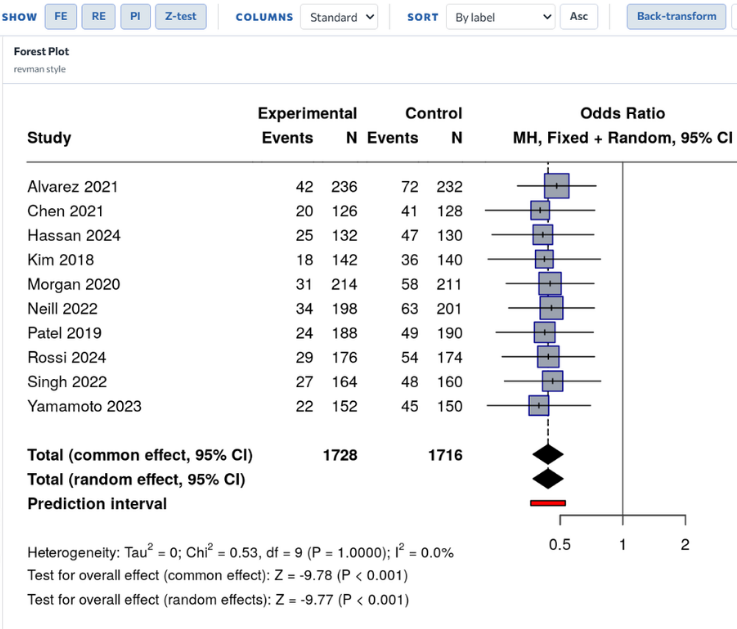
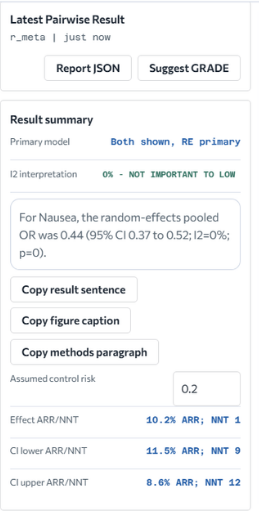
Pairwise, DTA, proportion, correlation, survival, network, and Bayesian endpoints are available. Results return as forest plots, funnel plots, netgraphs, league tables, and rankograms — all exportable.

  • Pairwise: continuous, binary, DTA, survival HR, proportion, correlation
  • Network meta-analysis — frequentist and Bayesian — with full plot suite
  • Meta-regression, leave-one-out diagnostics, cumulative meta-analysis
  • GRADE summary of findings table generation
Get started ->
Analysis workspace — forest plot and NMA
Risk & Quality

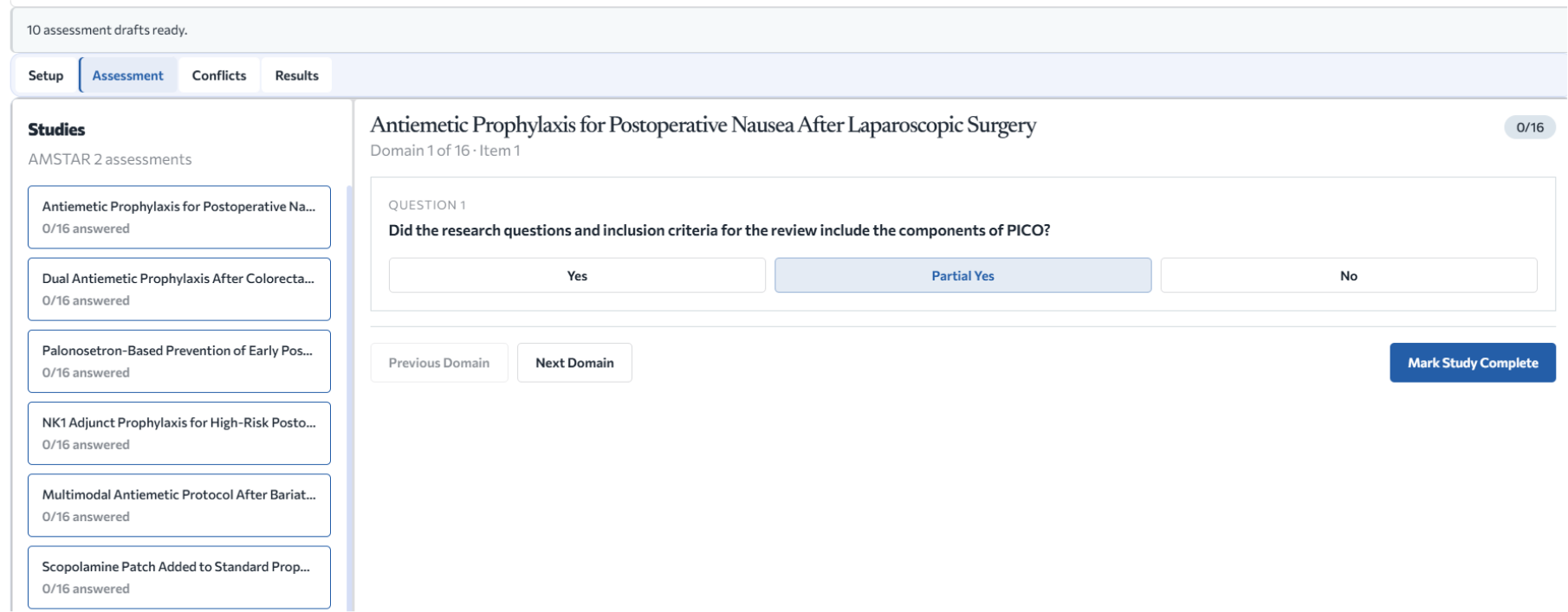
Risk-of-bias assessment with plot output and project validation.

Risk-of-bias assessment rows feed directly into robvis plots. Generic templates handle other instruments. Validation runs at the row, study, and project level, so quality issues show up before export — not after.

  • Risk-of-bias row assessment with robvis plot generation
  • Generic risk-of-bias templates — built-in and importable
  • Row, study, and project-level validation with conflict handling
  • Exportable validation reports and full audit log
Get started ->
Risk & Quality — risk-of-bias assessment and plot
Collaboration

Role-scoped team access with threaded comments.

Invite co-reviewers as full members or screening-only. Comments thread on any extracted row, RoB cell, or screening decision. The activity feed and unresolved-comment dashboard keep large teams coordinated without email.

  • Invitations scoped to full project or screening-only access
  • Threaded comments on any row, cell, or screening decision
  • Project activity feed and unresolved comment dashboard
  • Owner-controlled member management and role updates
Get started ->
Collaboration — team management and comments

How it works

One workflow, start to finish.

  1. 1ImportPubMed · Crossref · OpenAlex · RIS · BibTeX
  2. 2ScreenTitle/abstract and full-text phases
  3. 3ExtractPDF-backed · field-level provenance
  4. 4AnalyzeForest plots · NMA · GRADE tables
  5. 5ExportRevMan · XLSX · R script · PRISMA

Export formats

Twelve formats. One dataset.

  • RevMan XML
  • CSV
  • XLSX Workbook
  • JSON
  • BibTeX
  • RIS
  • PRISMA Checklist
  • GRADE SoF DOCX
  • R Script
  • Interactive HTML
  • Reproducibility Package
  • Validation Report CSV

Plans

Six plans, free to full-team.

Pricing is on a dedicated page. Sign in to see what's available for your account, or sign up to start with the Free plan immediately.

No commitment

Free

  • Screening — title/abstract and full-text
  • Core extraction with PDF upload
  • Pairwise meta-analysis
  • BibTeX and RIS export

6-Month Pass

Starter

  • Everything in Free
  • Screening-only collaborator invitations
  • Duplicate detection suite
  • XLSX and CSV export
  • Label and study-label system

12-Month Pass

Scholar

  • Everything in Starter
  • AI extraction suggestions
  • Network and Bayesian meta-analysis
  • GRADE table generation
  • All 12 export formats
  • Risk-of-bias assessment and robvis plots
  • Open-access PDF automation
  • Project-wide PDF search

Monthly

Researcher

  • Everything in Scholar
  • Month-to-month billing
  • No annual commitment

Monthly

Team

  • Everything in Scholar
  • Full team invitations with role-scoped access
  • Premium AI extraction for collaborators
  • Project activity feed
  • Unresolved comment dashboard

Contact us

Admin Premium

  • Everything in Team
  • Multi-project access
  • Admin-level controls
  • Priority support

Start your review.

Sign up for free and work through the screening and extraction phases immediately. Upgrade when you need analysis, NMA, or team access.